

A small detail. A more personal Mac.
You find the right icon, make your desktop feel like you, and an app update changes it back. Icon Keeper gives those choices a place to stay.
It keeps a local library of your custom app icons and helps restore them after updates. Add an app from your Dock, drop in an image, and keep your favourite looks together.
Your collection, kept close.
- Import an icon by dropping an image into the app.
- Keep up to five recent custom icons for each app, alongside its default.
- Save named icon sets and switch between different looks.
- Export and import your configuration.
- Use the optional terminal command to inspect your library, apply sets and reload icons.
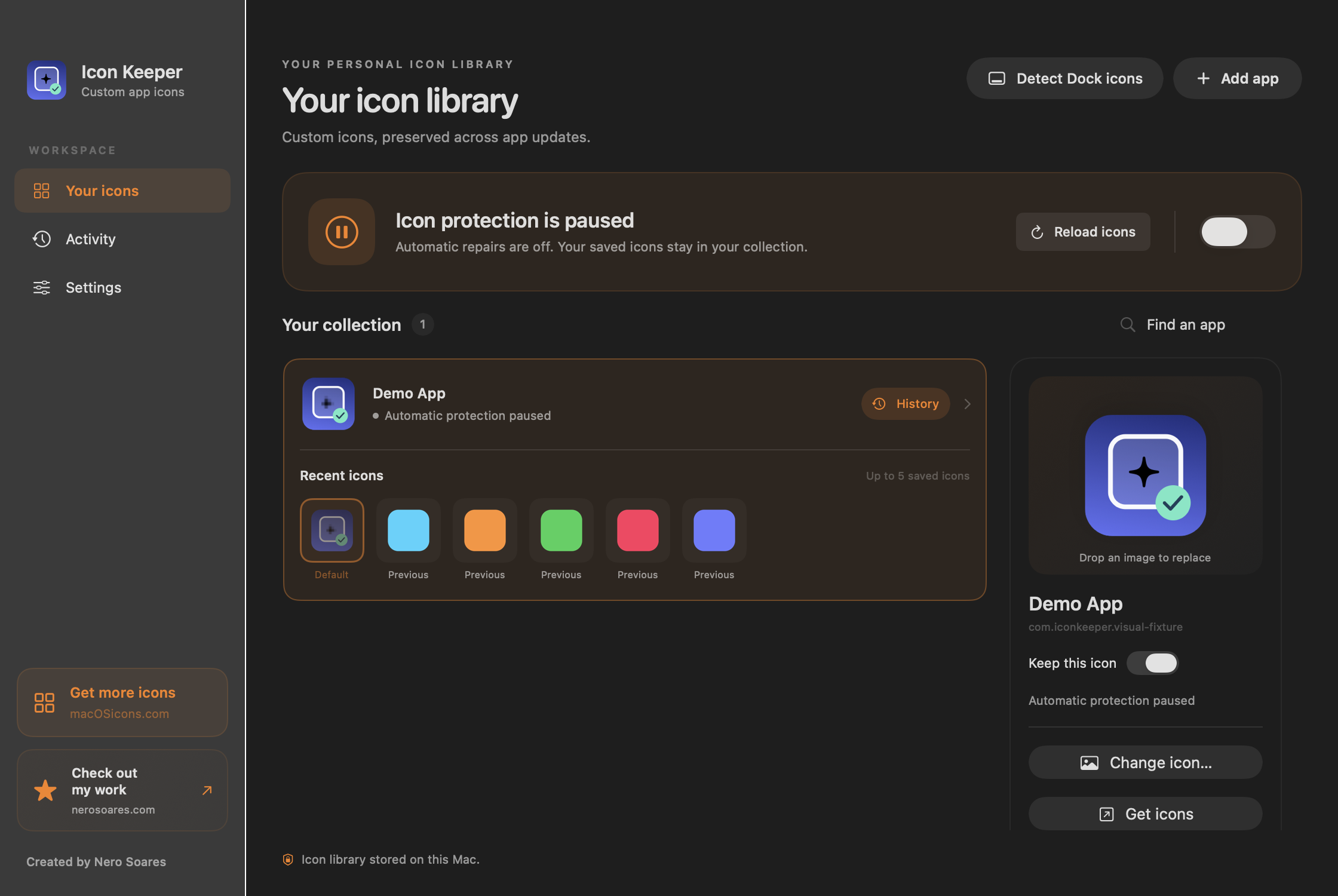
Made for your Mac. Stored on your Mac.
Your icon library and chosen images stay locally on your Mac. Icon Keeper does not require an account or subscription.
Changing another app’s icon can require macOS App Management permission, and some protected apps may still reject changes. Icon Keeper reports the result rather than silently promising a change it could not make.
Built by Nero.
Icon Keeper is an independent macOS project. This page introduces the app; a public download has not been added here yet.